

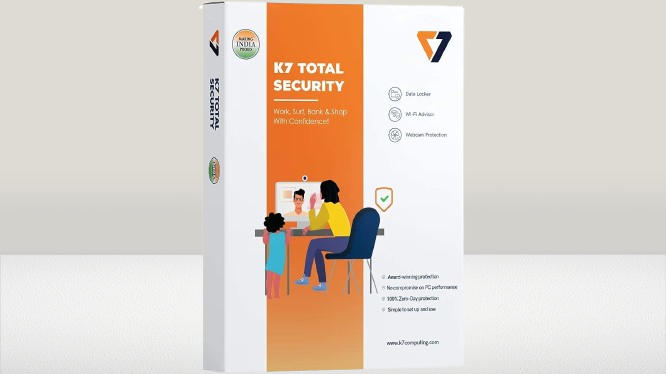
K7 is an Indian antivirus company founded in 1991 one of the older players in the security software space. It doesn’t get the marketing attention that Norton or Quick Heal receive but it has a consistent track record and performs well in independent lab testing. Here’s what matters for a practical buying decision.
Protection Quality The Core Question
K7 Total Security consistently scores well in AV-TEST and AV-Comparatives evaluations the two most respected independent antivirus testing organizations. It reliably detects known malware and performs adequately against zero-day threats. For home users facing typical threats like phishing, ransomware, and drive-by downloads, the protection level is genuinely solid.
The ransomware protection specifically is worth highlighting. Ransomware attacks that lock your files and demand payment have become one of the most damaging threats for home users particularly those who store family photos, important documents, or work files without backups. K7’s dedicated ransomware defense adds a meaningful layer beyond basic malware scanning.
The Feature Set What’s Actually Useful
Total Security as a product tier includes everything from K7’s lineup. Some features deserve honest assessment:
The firewall monitors network traffic and blocks suspicious connection attempts. For most home users behind a router the practical impact is limited the router itself handles most incoming threat filtering. The K7 firewall adds value primarily for monitoring outgoing connections from applications on your computer.
Online banking protection creates an isolated browsing mode for financial transactions. This is practically useful for reducing keylogger and screenshot malware risk during UPI, net banking, and payment gateway sessions.
Parental controls cover content filtering and internet time management. For families with children this is a genuine addition that saves installing separate parental control software. The quality of implementation in K7’s parental controls is functional without being the most sophisticated available adequate for basic household management.
PC optimization tools clean temporary files and defragment storage. These are basic utilities rather than replacements for dedicated optimization software. On modern SSDs defragmentation is unnecessary and potentially harmful check whether your system uses SSD or HDD before using this feature.
Windows XP Support An Important Note
The spec sheet mentions Windows XP SP3 support. Windows XP has been unsupported by Microsoft since 2014. Running XP means security vulnerabilities that no antivirus can fully compensate for. If you have a machine still running XP, upgrading the operating system should be the priority over buying antivirus software for it.
System Performance Impact
K7’s low hardware requirements 1GB RAM minimum mean it runs on older machines without major issues. The background protection is genuinely lightweight during normal use. Full system scans do use more resources but scheduling these during idle periods makes this a non-issue for daily work.
On modern hardware running Windows 10 or 11 with 8GB RAM the performance impact of K7 is minimal and unnoticeable during everyday tasks.
K7 vs Quick Heal vs Norton Honest Positioning
Quick Heal is the other major Indian antivirus brand and a direct competitor. Both offer comparable protection quality. Quick Heal’s SIA Security Assistant gives it an edge for non-technical users who need guidance through security alerts. K7’s multi-platform support covering Windows, Mac, Android, and iOS under one license is more comprehensive than Quick Heal’s primarily Windows focus.
Norton and Bitdefender score higher in independent lab tests and offer more sophisticated threat intelligence networks. They also cost significantly more. For typical home user threat exposure the protection difference between K7 and Norton isn’t practically meaningful you’re protected either way. The price difference is meaningful.
Price What to Pay and Where
The 1-user 1-year digital key is available for as low as ₹360 on Amazon with standard pricing around ₹399. Flipkart tracks similarly at ₹399 to ₹445.
The official K7 website charges ₹1,299 for the same 1-year license more than triple the Amazon price. There is no practical reason to pay the official store price when the identical product is available from authorized resellers at ₹360 to ₹399.
The 3-user 1-year bundle at around ₹749 works out to roughly ₹250 per device per year excellent value for households with multiple computers.
The 3-year single-user license at ₹849 to ₹950 works out to around ₹300 per year better than annual renewal at ₹399 if you commit long-term.
License Price Comparison
| License | Price | Best For |
|---|---|---|
| 1 User / 1 Year (Digital) | ₹360 to ₹399 on Amazon | Single computer, try before committing long-term |
| 3 Users / 1 Year | ₹749 to ₹799 | Families with multiple computers best per-device value |
| 1 User / 3 Years | ₹849 to ₹950 | Long-term single device avoids annual renewal |
| Official K7 Store (1 Year) | ₹1,299 | No advantage over Amazon pricing avoid |
Worth Buying?
At ₹360 to ₹399 for a year of full protection including ransomware defense, firewall, banking protection, parental controls, and multi-platform support yes, K7 Total Security offers genuine value. It’s particularly well suited for families needing parental controls, households with multiple devices using the 3-user license, and users with older computers where the low system requirements matter.
For single users who mainly need basic malware protection Windows Defender is free and covers the basics adequately. K7 adds value beyond Defender primarily through the banking protection, parental controls, firewall visibility, and ransomware-specific defense.
K7 Total Security Full Specifications
| Category | Details |
|---|---|
| Brand | K7 Computing (India) |
| Protection | Virus, Malware, Ransomware, Spyware, Phishing |
| Web Security | Safe Browsing, Phishing Protection, Banking Protection |
| Network | Smart Firewall, Wi-Fi Security Monitoring |
| Parental Controls | Content Filtering, Internet Activity Monitoring |
| Optimization | Disk Optimizer, Temp File Cleaner |
| Platforms | Windows, macOS, Android, iOS |
| Windows Support | Windows 7 SP1 and above through Windows 11 |
| Minimum RAM (Windows) | 1GB (32-bit) / 2GB (64-bit) |
| Mac Support | macOS 10.10 and above |
| Mobile | Android 5.0+, iOS 10.0+ |
| India Price | ₹360–399 (1yr/1user) | ₹749 (1yr/3users) | ₹849–950 (3yr/1user) |
| Where to Buy | Amazon India for best pricing |
Questions about whether it suits your specific setup or how it compares to alternatives drop them in the comments.

6 Comments
I like it very much
Thanks for providing correct info.
I like the website thanks
Hi I need job
Super
Thank you